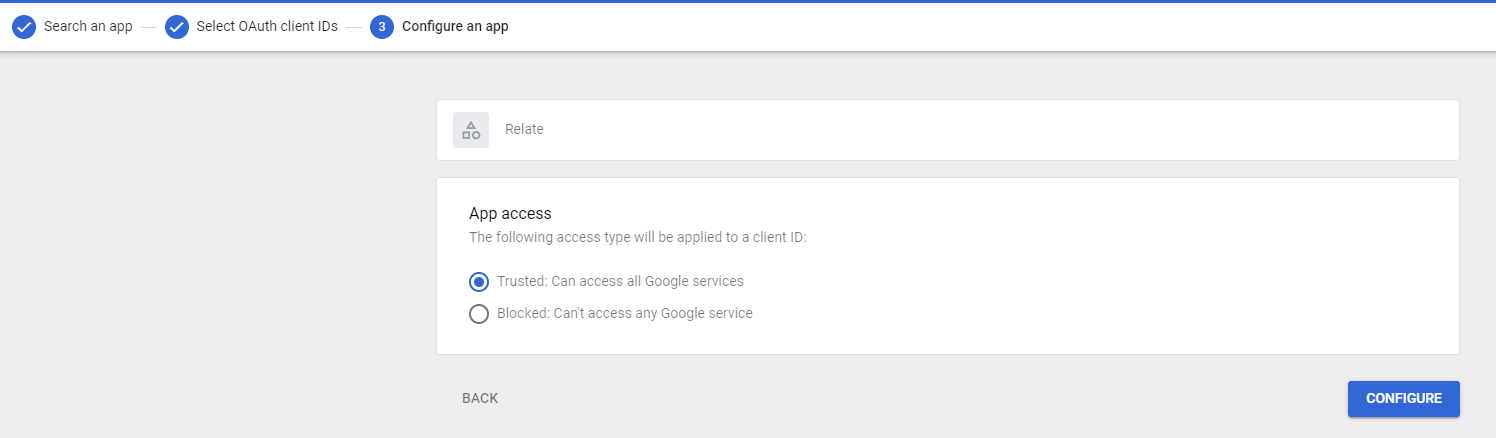
This document is to register Relate as an approved app in your Google Workspace before the Relate onboarding meeting. Please follow the document below, and if you have any difficulties, please contact us at we@relate.so.
1. Make sure you are a Google Workspace Admin
Make sure you are a Google Workspace Admin. Only admins can add applications to Google allowlist. If you aren’t an admin, reach out to your organization’s admin and let them follow this process instead. 1.1. First, go to the Google Admin Page. Sign in if you have not done already. 1.2. Find Directory > Users page on the left side, and click your name that is shown on the right. See below screenshot.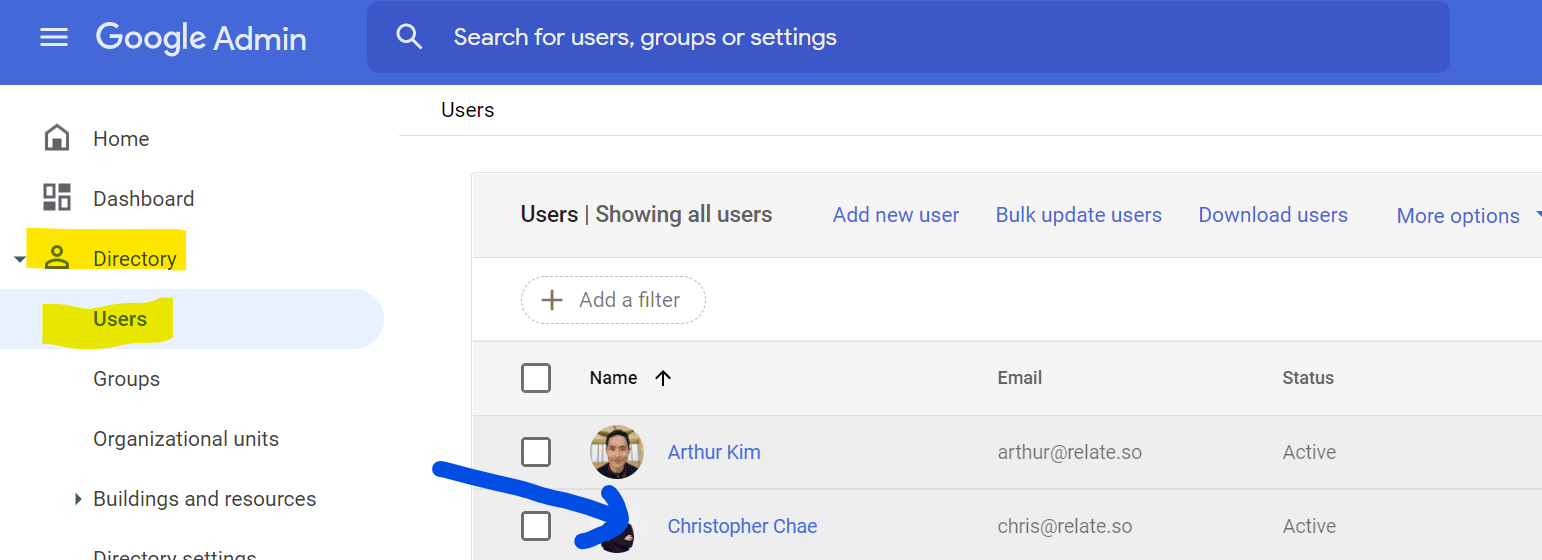
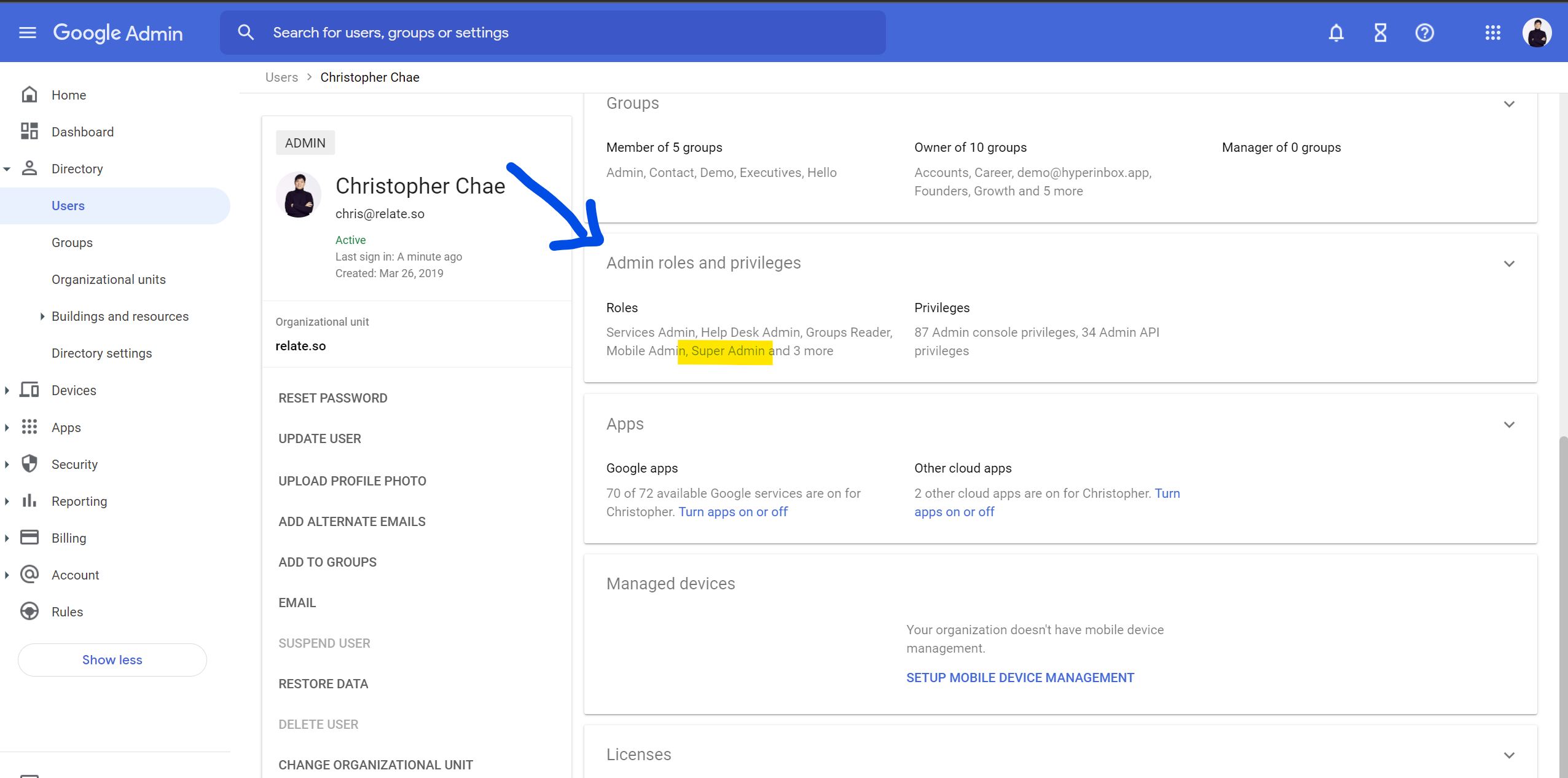
Admin roles and privileges tab, check if your role is a Super Admin.
2. Add Relate to API allowlist
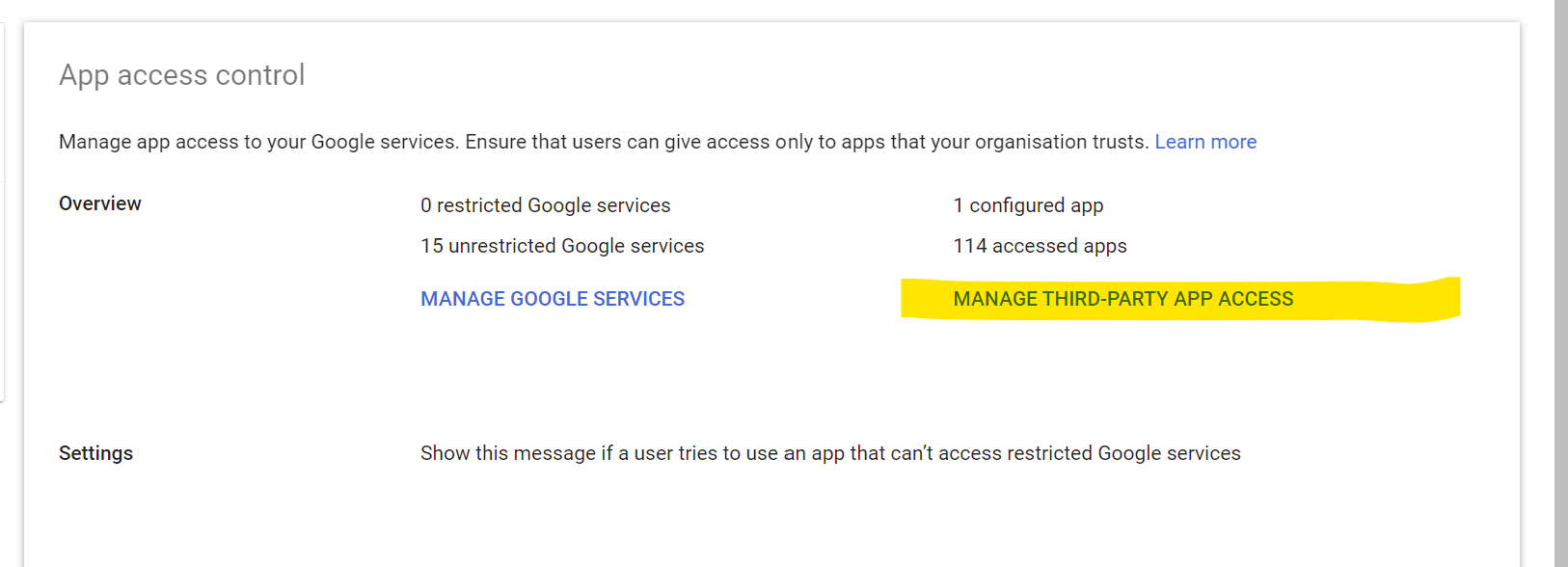
2.1. On the left navigation menu, find Security > Access and Data Control > API controls page. If you do not see the page, clickShow more at the bottom to view additional pages.
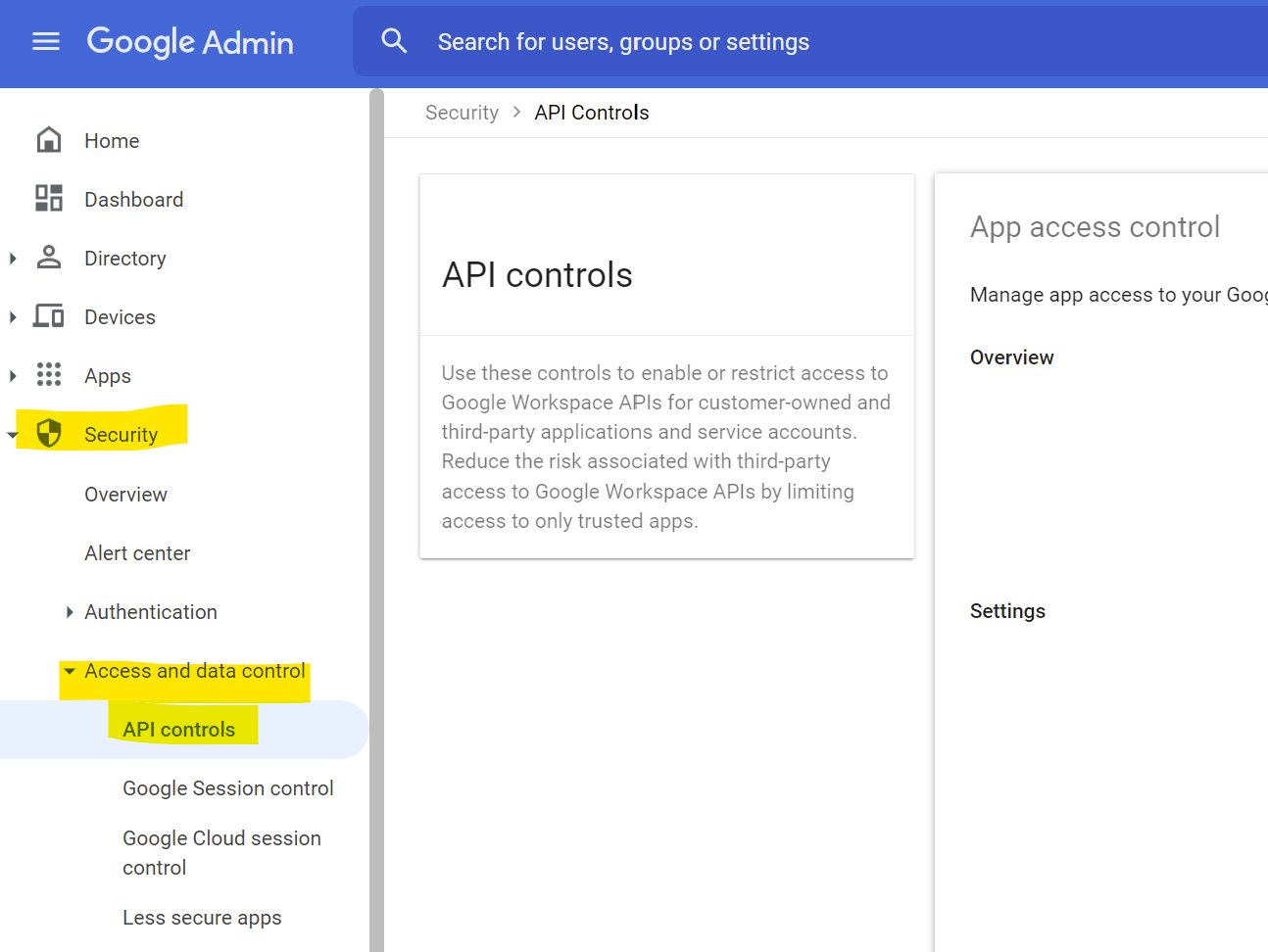
MANAGE THIRD-PARTY APP ACCESS link.
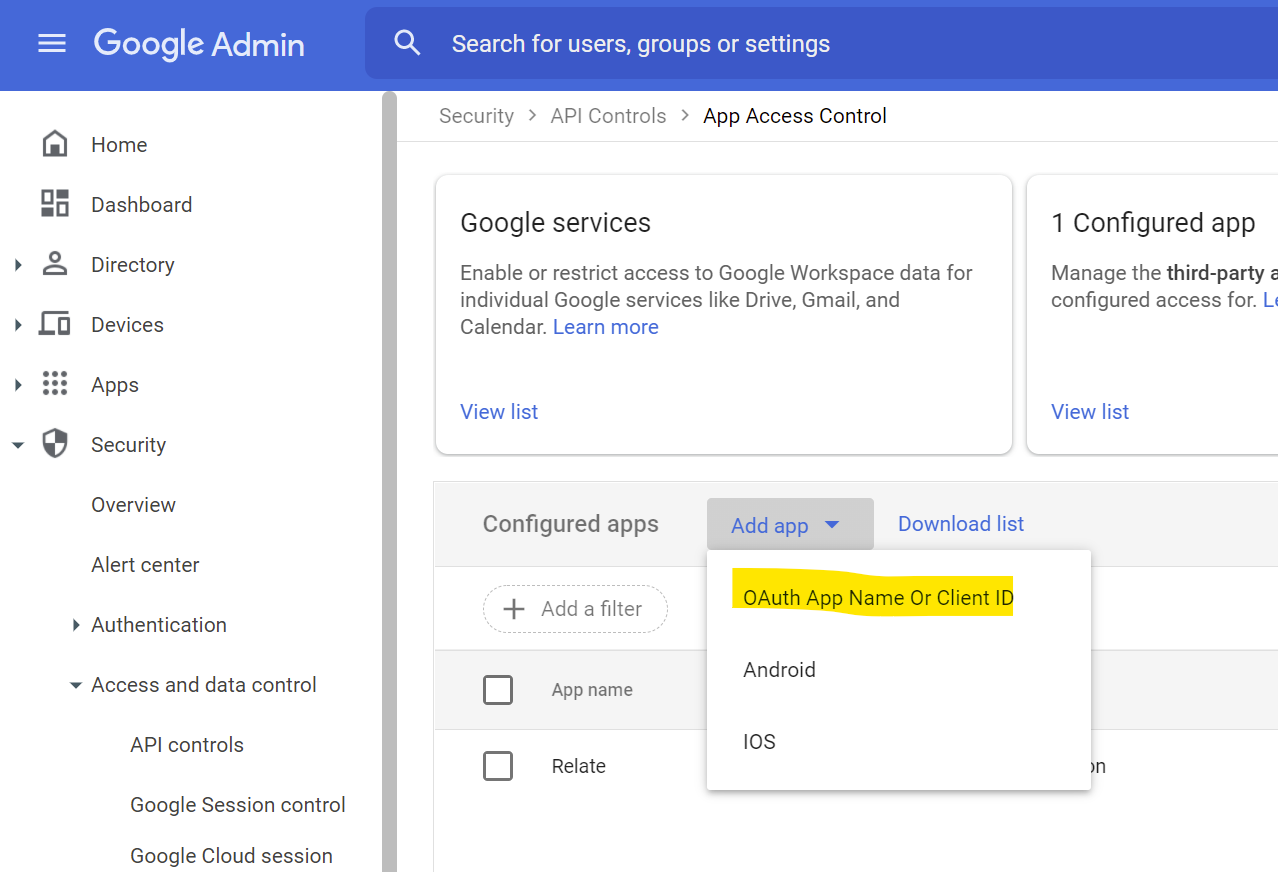
Add app then select OAuth App Name or Client ID.
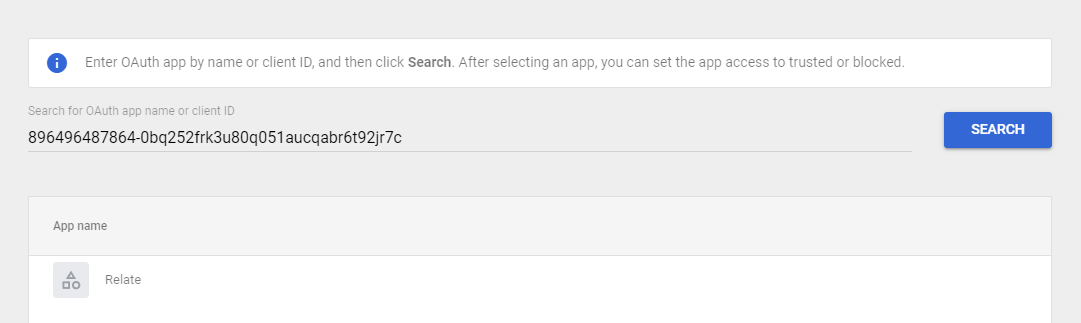
896496487864-0bq252frk3u80q051aucqabr6t92jr7c and paste it into the search bar, you will be able to find Relate app. Select Relate app to proceed.
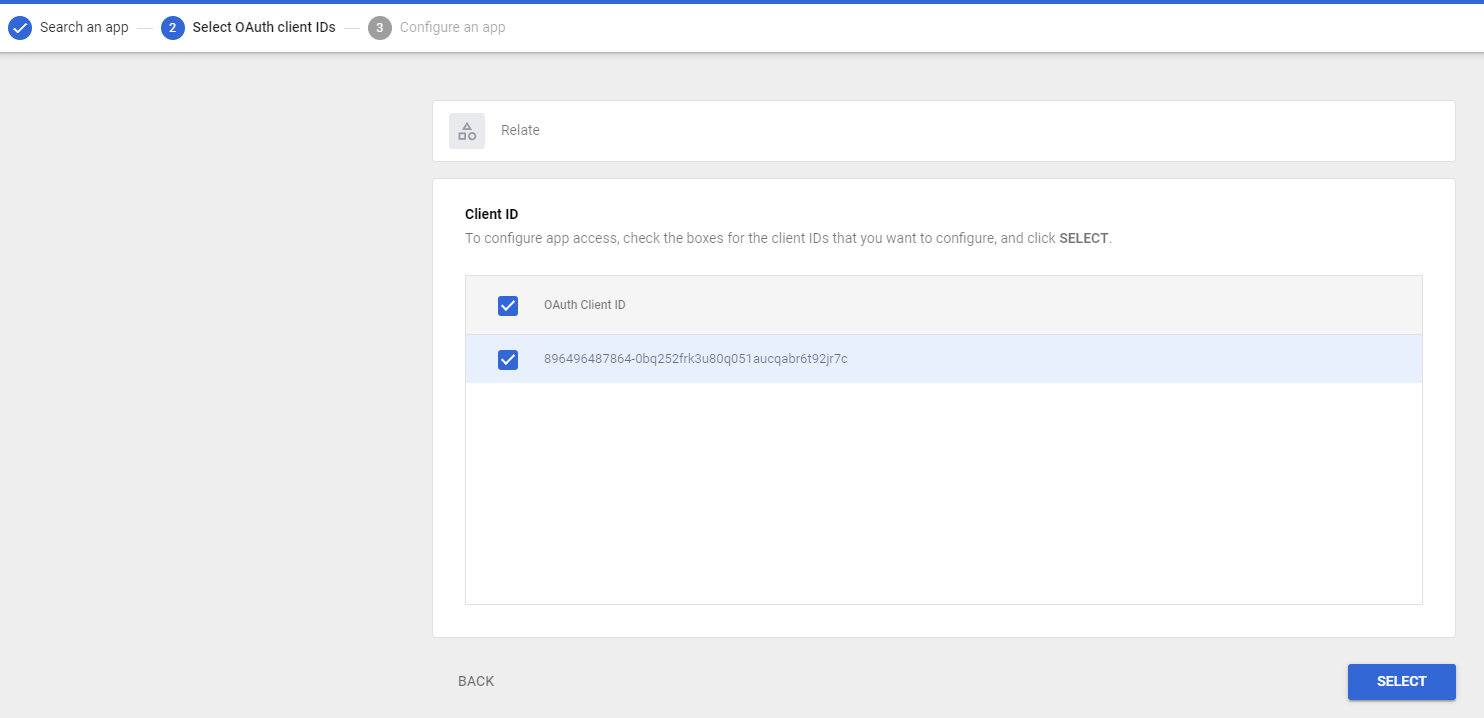
SELECT.
CONFIGURE to proceed.